





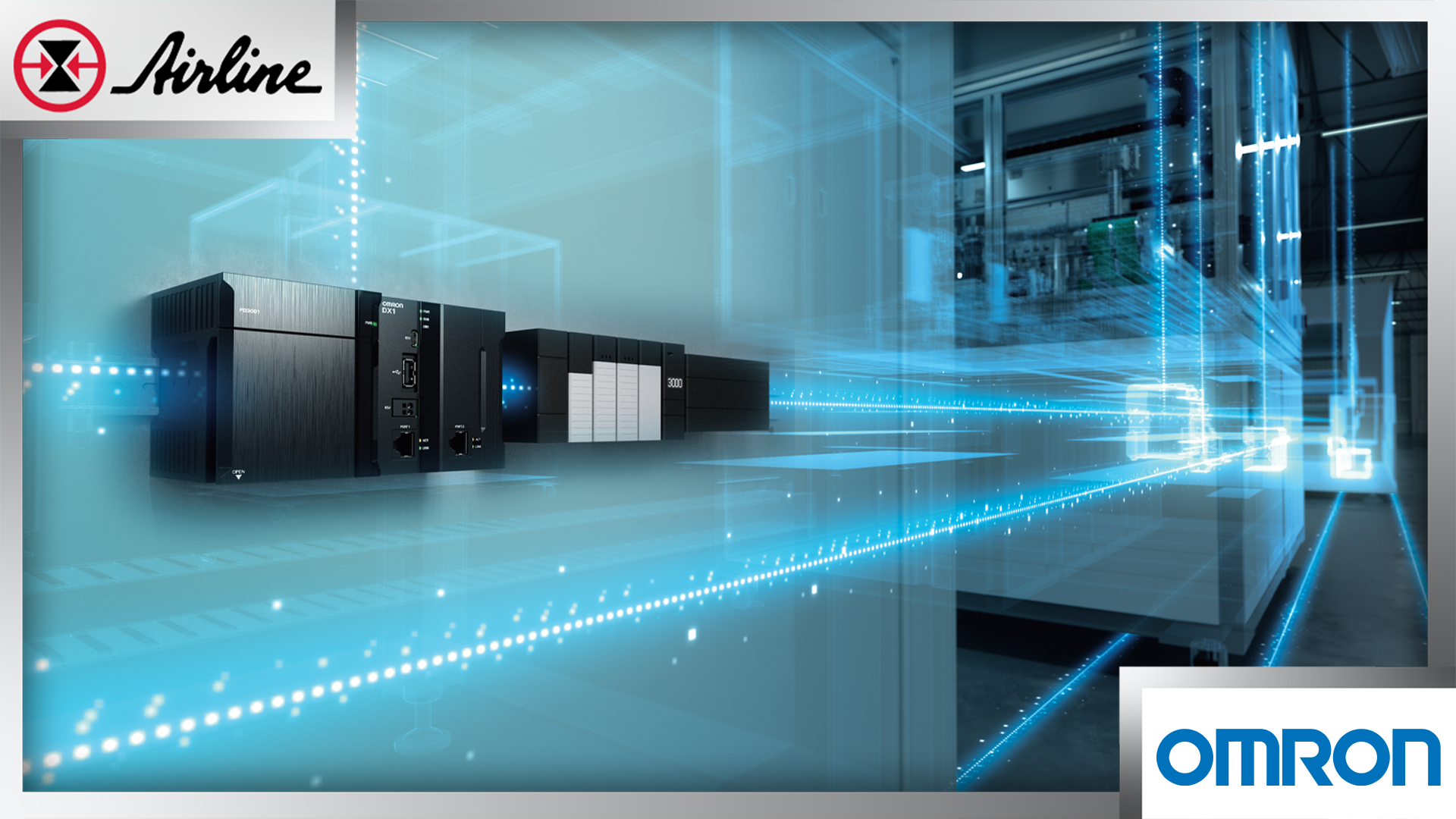

Most plants have data sitting inside machines, PLCs, sensors, and monitoring devices. The hard part is turning the data into something people can actually use - fast enough to prevent downtime, improve quality, and hit production goals. That’s the idea behind OMRON’s DX100 Data Flow Edge Device: a simple way to collect and visualize production-floor data, so teams can make decisions with confidence instead of guesses.
Table of Contents (Jump to a Section)
The Problem It Solves | Introducing OMRON's DX100 | Pre-Built Packages for Quick Start | DX100 Product Details | A Simple Way to Get Started | More Information About Omron's DX100


“We know something is wrong… but we can’t prove why.”
If you’ve ever dealt with unplanned downtime, you know the pattern:
- A machine stops.
- People look at alarms, walk the line, and try a few fixes.
- It runs again… until it doesn’t.
- The real cause is still unclear.
Production sites often run into three big roadblocks when trying to use data:
- • The data people need changes by machine and by role (operators, maintenance, engineering, management).
- • Some “data projects” feel like they require a shutdown to install or rework systems—so they get delayed.
- • Teams may not have the time or staff to develop custom code to pull data, shape it, and build dashboards.
Meanwhile, leadership still asks for improvements in OEE, quality, and energy/GHG performance—and they want progress now.
Common ways teams try to solve this (and why they stall out)
1. Manual checks and spreadsheets
This works for a while. But it’s slow, it’s hard to keep consistent, and it usually can’t explain what happened right before the problem.
2. Big software rollouts (MES/SCADA-style projects)
These can deliver results, but they often take time, planning, and budget. Many plants want a faster path to value—especially for a single line, a single machine, or a single problem.
3. Custom code and one-off integrations
Custom work can be powerful. But it can also turn into “only one person knows how it works,” which makes long-term support tough.
4. Replace controls or rework equipment
This is the biggest hammer—and not always needed. Many plants want to improve data use without changing devices or control programs just to get started.
Solution: How Omron’s DX100 makes it easier to start small, learn fast, and scale.
The Omron DX100 is built to sit between your equipment and your decision-making tools. Think of it as a data hub that collects, organizes, and visualizes information from machines, sensors, and controllers in one place. Instead of building everything from scratch, users start with pre-built monitoring packages designed for real manufacturing problems.
How DX100 Fits Into Your Existing Operation
This is where DX100 stands out. Instead of asking you to redesign your systems or start a long IT project, it focuses on practical ways to get value from the equipment you already have. These design choices are meant to lower the barrier to entry and help teams move from idea to insight faster.
1. Start with a simple retrofit approach
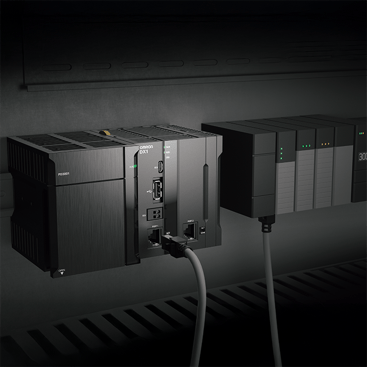
DX100 is designed to connect to existing equipment through Ethernet cables, without rewiring your machines. It also has two Ethernet ports—one commonly used for data collection and one commonly used for connecting a PC to view/configure through the web interface.
2. Use browser-based tools (no special installs)
Key tools are browser-based, so you can view and configure without loading special software on a PC.
3. Build “data flows” without heavy programming
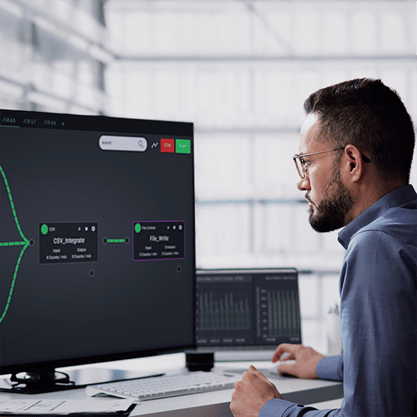
DX100 includes a flow editor where you create data processes by connecting building blocks—an approach that’s more approachable than starting from scratch in code.
And when you do need advanced work, it supports deeper customization (including options like Python and C) for special protocols or complex calculations.
4. Collect useful time-based data—and even match it with video
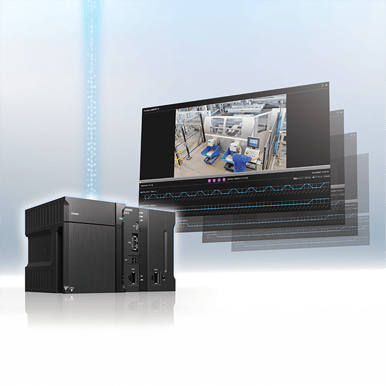
DX100 can collect data from different devices in time-series format and view it alongside related video. That’s a big help when you’re trying to answer, “What changed right before the fault?”
It’s also built to work with a wide range of devices, including IP cameras, IO-Link devices, condition monitoring devices, and PLCs (including non‑OMRON PLCs—model support should be confirmed).
Get up and running faster with pre-built packages
The DX100 includes ready-to-use software packages, which are pre-built templates designed around common manufacturing problems. Instead of starting from zero with unformatted data and an empty dashboard, these packages give you a practical starting point. Each package focuses on a specific operational goal, such as classifying downtime, trending throughput, and performing root cause analysis.
Package 1: Equipment Monitoring (one machine, clear KPIs)
This package is designed to calculate and visualize 14 common factory KPIs for a piece of equipment.
The dashboard helps you track OEE, downtime, cycle time, production counts, and throughput so you can see where time is being lost and where to focus your time.
🌎Real-world use:
Your packaging machine “feels slower” this week. Instead of guessing, you can see whether the issue is more stops, longer cycles, fewer good parts, or a mix.
Package 2: Factory Monitoring (many machines, one view with clear KPIs)
This package collects KPIs from multiple controllers and aggregates and visualizes them by factory, line, and process.
🌎Real-world use:
A supervisor wants to know which line is falling behind today—without walking the whole building. This gives a faster way to spot which area needs help.
Package 3: Condition Monitoring (maintenance timing you can defend)
Condition monitoring packages are built to collect and visualize data from monitoring devices, support threshold calculation, and enable alerts—so you can spot trends and act before a failure becomes downtime.
There are multiple condition monitoring options, including support for:
• Variable Speed motors
• Induction motors (current-based or vibration-based)
• Temperature inside control panel
🌎Real-world use:
A motor “sounds fine”… until it doesn’t. This helps maintenance teams move from calendar-based checks to condition-based timing, with trend data they can show and explain.
Package 4: Event-triggered video logging (see the moment things go wrong)
This package records and stores video from before and after an abnormal status signal is detected, so teams can review what happened without being physically at the machine right away.
It’s designed to speed up root-cause work and reduce recovery time—especially when issues are intermittent and hard to catch live.
🌎Real-world use:
A jam during changeover sporadically happens at 2 AM, and witnesses aren’t around. Now you can review the exact time window around the event and match it with signals from the PLC.
Quick product facts & details
- Model: DX100-0010
- Ports: 2 Ethernet + 1 USB
- Size/weight: 78.8 × 90 × 80 mm, ≤ 250 g
- Built-in software: SpeeDBee Synapse, Chart Display Tool, and monitoring packages
- Power: Power supply unit required (CPU unit does not include one)
- Data destinations (example setup): can connect across OT/IT networks and work with items like NAS, cloud, and USB memory, depending on your setup,
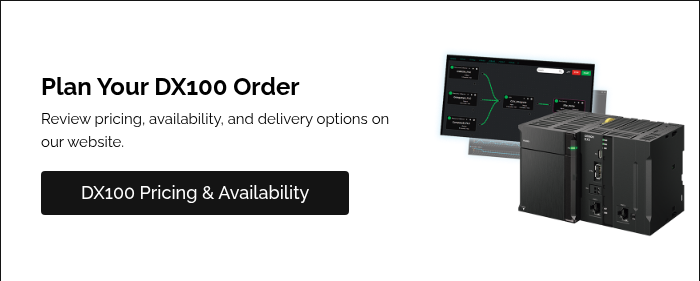
A simple way to get started
- Pick one pain point (downtime, speed loss, quality loss, maintenance timing).
- Connect DX100 into your setup via Ethernet for data collection and browser access.
- Start with a built-in package (equipment KPIs, factory roll-up, condition monitoring, or event video).
- Expand once you prove value on one machine or one line.
If you want a low-risk first step, there’s also a trial version option that helps teams try the approach before purchasing hardware (and reuse the flows later).
Stop Guessing & Start Making Decisions with the DX100
If you’re ready to stop guessing and start making decisions with real machine data, the DX100 is a practical place to begin. Start with one machine, prove the value, and scale to more lines when you’re ready.
Want help scoping a first use case? Our team can help you confirm connectivity, choose the right package, and plan a rollout that doesn't disrupt production.




Leave Comment