





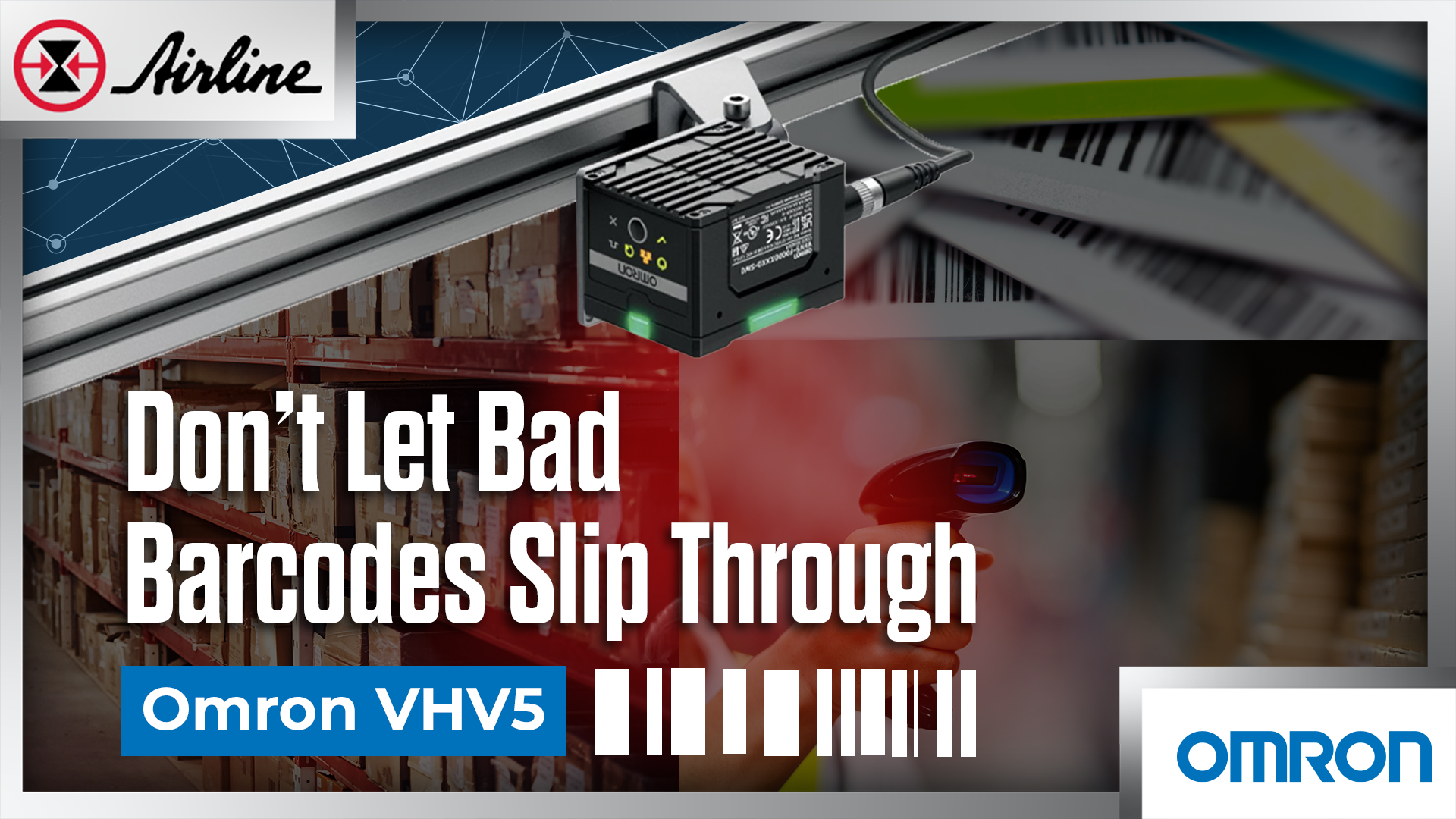

Most production teams already have barcode readers, and for many applications, that is good enough. But for higher-risk production environments, the question becomes can we prove every code is good enough to ship? A barcode can scan at one station and still fail later at a customer dock, hospital, warehouse, audit, or downstream process. When that happens, the problem is usually not just the downstream scanner. It may be print quality, mark quality, lighting, part position, surface finish, or drift in the marking process.
That’s the gap Omron’s VHV5 is built to close. It combines barcode reading and inline verification in one device, so teams can verify every code while the line is running instead of relying only on offline samples.
Key Takeaways- Barcode reading and barcode verification are not the same. A code can scan on your line and still fail a customer, audit, or downstream process. - Sampling helps, but it leaves gaps. If print or mark quality drifts between checks, bad codes can still move through production. - Omron VHV5 verifies every code inline, in real time, without slowing production. It supports 1D labels, 2D labels, and direct part marks, ISO/IEC 15415(for 2D), ISO/IEC 15416(for 1D), and ISO/IEC 29158 (DPM) image quality. Also meeting the FDA UDI requirements for medical devices distributed in the USA as of Sept 24th 2013. - The value is clearer troubleshooting. VHV5 helps point to issues like poor contrast, bad modulation, quiet zone problems, grid distortion, print growth, mark damage, lighting, focus, or part position. - The right setup depends on the application. Code type, smallest element size, field of view, working distance, line speed, surface, lighting, and calibration all matter. |
Table of Contents (Jump to a Section):
The Problem It Solves | Common Ways Teams Try to Solve It | Introducing Omron VHV5 | What Engineers Should Check First | VHV5 Product Details | A Simple Way to Get Started | More Information About Omron VHV5

“The Scanner Reads It… So Why Did the Customer Reject It?”
 If you have dealt with barcode quality issues, the pattern may sound familiar:
A label printer starts drifting.
A laser mark gets lighter.
A dot peen mark changes because of part variation.
A curved package creates glare.
The barcode still reads on your line.
Then it fails somewhere else.
That is the core problem: a successful read is not the same as verified barcode quality.
A reader answers, “Can I decode this right now?”
A verifier answers, “Does this code meet the quality standard it is supposed to meet?”
That difference matters in industries where traceability is tied to compliance, recalls, supplier scorecards, customer requirements, or product flow through the supply chain.
Common ways teams try to solve this — and where they fall short ?
1. Offline sampling
Offline verification still has value. It is controlled, repeatable, and useful for audits or setup checks.
The problem is coverage. If you pull one part every 30 minutes, you are still trusting everything that happened between samples. That may be fine for some applications, but it still leaves room for error when print quality changes quickly.
❌ Where it can fall apart: Sampling tells you what happened to the sample. It does not prove that every code on the line was good.
2. Standard barcode readers
A standard reader is built to decode, and in many cases, that is enough. If the goal is simply to read a code and move data into a PLC, database, or track-and-trace system, a reader may do the job.
But readers can be very forgiving. That is good for uptime, but it can hide a barcode quality problem until it becomes a bigger issue.
❌ Where it can fall apart: A code can be readable today but still be low quality, unstable, or likely to fail under different lighting, distance, angle, or scanner type.
3. Custom vision systems
A custom vision setup can inspect print or mark quality, and it can be powerful when built well.
But barcode verification is not just “take a picture and grade it.” True verification depends on the standard, lighting geometry, calibration, resolution, field of view, part position, and reporting. Once custom code, custom lighting, and custom reports enter the picture, support can become difficult.
❌ Where it can fall apart: The system may work, but it can become hard to maintain, hard to validate, and hard to defend during a customer or quality review.
4. Slowing the line or adding extra inspection
Some teams reduce risk by adding a manual check, a side station, or more inspection time. That can help catch problems, but it adds labor and can interrupt flow.
❌ Where it can fall apart: The line becomes slower or more complicated, and the team still may not have real-time feedback on every part.
Solution: Omron VHV5 Brings Barcode Verification Onto the Production Line 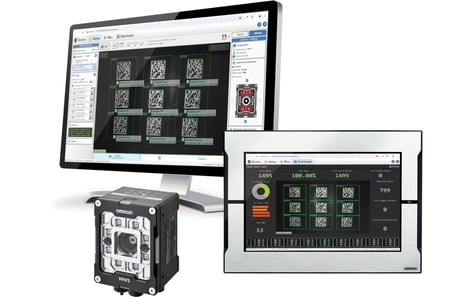
Omron’s VHV5 is an autofocus multicode reader and inline verifier. In plain terms, it is designed to read barcodes and verify barcode quality directly on the line. That means teams can move from “We sampled a few codes and hope the rest were fine” to “We verified every code as it was produced.”
VHV5 supports inline verification for common barcode applications, including 1D labels, 2D labels, and direct part marks. It supports ISO/IEC standards such as ISO/IEC 15416 for 1D barcodes, ISO/IEC 15415 for 2D barcodes, and ISO/IEC 29158 for direct part marks. It also supports GS1 syntax checking, which can help confirm that the data was properly encoded.
The real value is not just pass/fail. The value is knowing why a code is starting to fail from reasons including.
- Poor contrast.
- Bad modulation.
- Quiet zone issues.
- Grid distortion.
- Mark damage.
- Print growth.
- Reflectance problems.
Those are the clues engineers need when they are trying to fix the actual cause, not just reject the part.
How VHV5 fits into real production problems
1. It verifies every code inline
VHV5 reads AND inspects codes as products move through production. That helps teams catch issues as they happen. If a printer ribbon starts wearing, a label shifts, a laser mark weakens, or a surface creates glare, the line can get feedback sooner.
🌎 Real-world use: A packaging line is running at speed. The code still scans, but print contrast is dropping. Instead of finding out during a later audit or customer complaint, the team sees the trend while production is still running.
2. It closes the gap between “readable” and “acceptable”
VHV5 can read and verify, which matters when a code must meet a customer, industry, or regulatory requirement. A code that barely reads is not the same as a code that meets the expected quality grade.
🌎 Real-world use: A medical device label scans at the end of the line, but the code quality is marginal. VHV5 helps identify the issue before that product moves downstream.
3. It is built for difficult code conditions
Barcode verification gets harder when the surface is not friendly. Think curved packaging, glossy labels, metal parts, textured surfaces, direct part marks, laser marks, dot peen marks, or codes in tight spaces. The VHV5 is designed with flexible lighting and optical options to help handle these problems. Depending on the application, that may include internal lighting, external lighting, filters, polarizing options, or different lighting geometries.
🌎 Real-world use: A direct part mark on a metal component reads on some parts but not others. The issue may not be the code data. It may be surface finish, lighting angle, mark contrast, or part position. VHV5 gives engineers a way to verify the mark quality and tune the setup around the real condition.
4. It gives production and quality the same language
One common issue with barcode problems is that every team sees a different part of the problem. Inline verification gives those teams a clearer way to talk about the issue. Instead of saying “the barcode looks bad” or “the scanner didn’t like it,” teams can look at the verification results and focus on the specific quality metric that is falling.
🌎 Real-world use: A laser marking process starts producing weaker marks after a change in part supplier. VHV5 helps show whether the issue is contrast, modulation, grid quality, or another measurable factor.
5. It can connect into the control system
A verification result is only useful if the line can act on it. VHV5 supports common industrial communication options, including digital I/O, RS-232, Ethernet TCP/IP, EtherNet/IP, and PROFINET. That gives teams options for sending results to a PLC, triggering a reject, logging data, or tying the verification result into the larger production system.
🌎 Real-world use: A bad code does not need to wait for a person to notice it. The system can send a result to the PLC so the line can alarm, reject, or track the issue automatically.
The Power of Omron's VHV5:
6 Things Engineers Should Check Before Choosing an Inline Verification Setup
VHV5 is powerful, but inline verification is still an application. The details matter. Before choosing a model or lighting setup, it is worth answering these questions:
1. Is a barcode reader enough, or do I need inline verification?
If the application only needs internal quality checks, barcode grading may be enough. If the code must meet an external standard or customer requirement, ISO verification may be required. That choice affects calibration, lighting, reporting, and setup.
2. What barcode types and standards apply?
Start with the code and the standard. For example:
- 1D labels may use ISO/IEC 15416.
- 2D labels may use ISO/IEC 15415.
- Direct part marks may use ISO/IEC 29158.
The code type, surface, and industry requirement all shape the application.
3. What is the real barcode size?
For engineers, this is a big one. Do not start with the overall barcode size. Start with the smallest element. For a 1D code, that means the narrowest bar or space. For a 2D code, that means the smallest cell. That detail affects field of view, pixels per element, lens choice, working distance, and whether the system can verify the code reliably.
4. How much field of view do you actually need?
The camera needs to see the code, but it also needs to account for normal part movement. A perfect lab setup does not always match the line. Leave room for part position changes, label placement variation, vibration, and product movement.
5. What does the surface do to the image?
Glossy labels, curved containers, metal parts, dark materials, and textured surfaces all change how light behaves. This is why lighting is not an afterthought. It is often the difference between a stable verification result and a system that works only part of the time.
6. How fast is the part moving?
Moving parts reduce exposure time. Short exposure can require stronger lighting or strobe control. If the image is blurred, the grade can drop even if the code itself is fine. Speed, lighting, focus, and mounting all need to work together.
Quick product facts and details
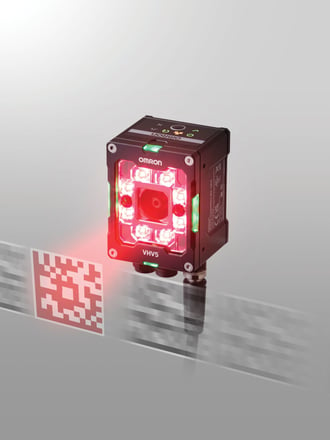 Product: Omron VHV5-F Autofocus Multicode Reader and In-Line Verifier
What it does: Reads and verifies barcode quality inline on the production line
Common verification applications: 1D labels, 2D labels, and direct part marks
Supported standards include: ISO/IEC 15416, ISO/IEC 15415, and ISO/IEC 29158
Code examples: 1D barcodes, Data Matrix, QR, MicroQR, and direct part marks
Sensor options:
2.3 MP global shutter sensor up to 80 FPS
5.0 MP global shutter sensor up to 40 FPS
Lens options: Wide, medium, narrow, and long-range autofocus lens options are available, depending on the application. For inline verification, model selection should be confirmed based on field of view, code size, and working distance.
Lighting options: Integrated lighting, external lighting support, and front window/filter accessories such as diffuser and polarizer options
User interface: WebLink browser-based setup and configuration
Communication options: Digital I/O, RS-232, Ethernet TCP/IP, EtherNet/IP, and PROFINET
Power options: PoE+ or direct 24V power, depending on the configuration. External lighting may require direct 24V power.
Environment: IP69K-rated enclosure for demanding industrial environments
Upgrade path: VHV5 uses the same parallel I/O cables and interconnect accessories as Omron MicroHAWK V430-F and V440-F readers, which can help simplify some retrofit projects. Model and accessory fit should still be confirmed for the application.
[Shop Omron VHV5]
A simple way to get started
Start with one line, one code, and one clear problem.
1. Pick the application: label, 2D code, or direct part mark.
2. Confirm the standard or customer requirement.
3. Collect good, bad, and borderline code samples.
4. Measure the smallest barcode element, not just the total code size.
5. Review mounting distance, field of view, line speed, and part movement.
6. Test lighting based on the surface and code type.
7. Decide what should happen on a fail: alarm, reject, stop, log, or notify.
8. Validate the setup with the right calibration process.
9. Run it on one line before expanding to more products or stations.
Remember, you are not trying to solve every barcode issue in the plant at once. You are proving value on one real application, then scaling from there.

We Spec., Stock, and Support Automation Products
Need help scoping a VHV5 application? Airline and our partners at Omron can help review the code type, verification standard, lighting, mounting distance, field of view, PLC connection, and product selection so the system is built around the real line conditions from the start. Reach out to us to get started.

Additional Resources
Read More Articles about Omron



Leave Comment