




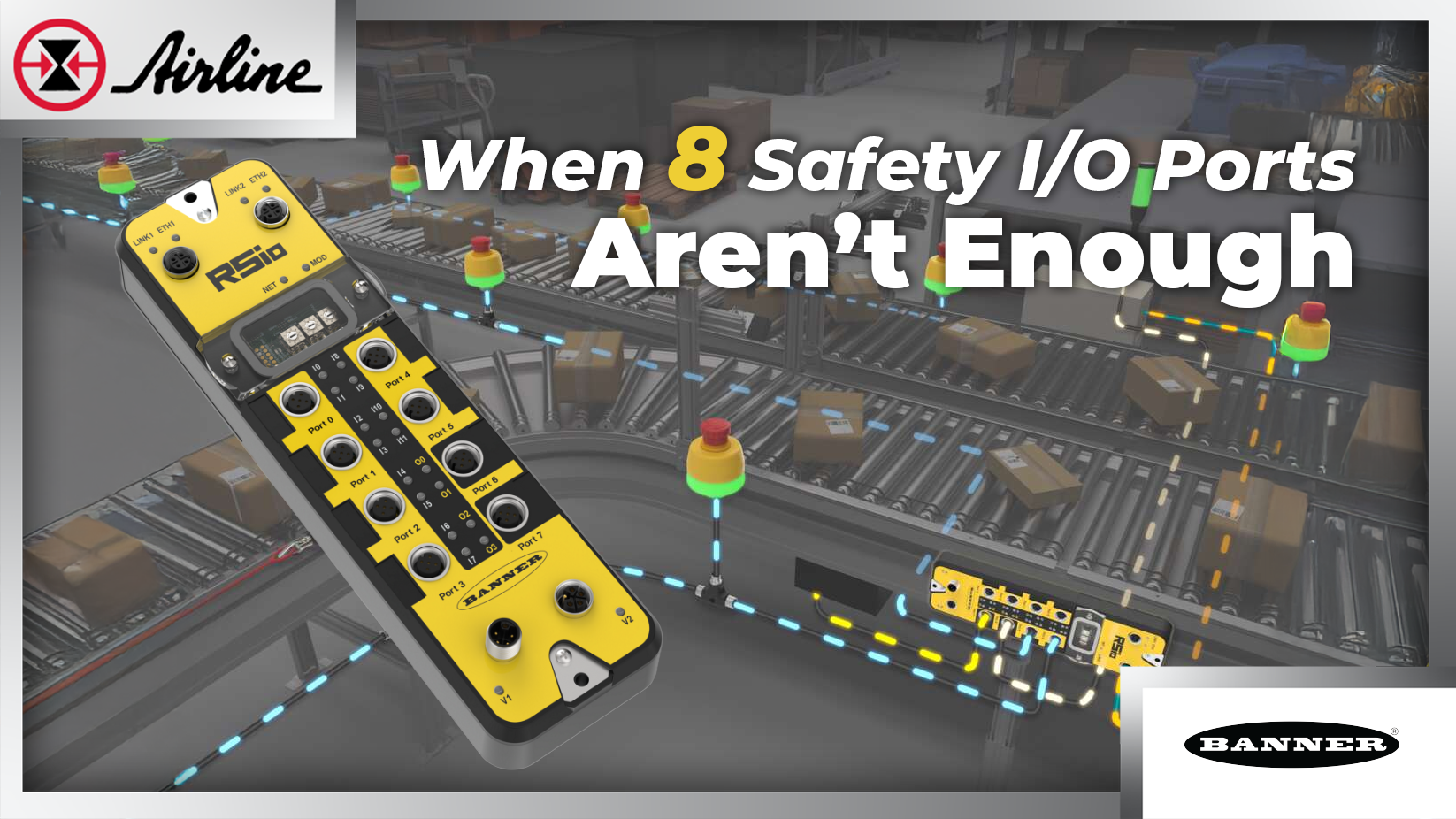

If you’ve ever stood at a stopped machine thinking, “Which E‑stop, door switch, or light curtain did it this time?” then you already know the real problem with most safety I/O:
- Wiring grows fast.
- Cabinets get crowded.
- Finding the one tripped device can take longer than fixing it.
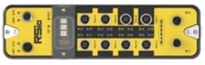
Banner’s RSio (Remote Safe I/O) is built for that exact pain. It’s a machine-mount safety I/O block for CIP Safety networks, and it’s meant to reduce wiring and makes troubleshooting less of a guessing game.
In This Article:
Too Many Devices, Too Much Cables | RSio Approach | RSio Applications | When the RSio is a Great Fit RSio Product Specs | Summary | Additional Resources | FAQ
Explore pricing and availability:
RSio (4-pin Mini Power Connection)
RSio ( 5-pin M12 L-code Power Connection)
The problem: too many devices, too much cable
A few safety devices are easy. But once you get into long conveyors, palletizers, cells with many gates, or multiple access points, the “home-run every device back to the panel” approach explodes:
- More cable pulls
- More terminations
- More I/O cards
- More time in checkout
And every add-on later (one more gate, one more E‑stop) means reopening drawings, wiring, and testing.
In addition, more hidden costs show up when the machine stops.
That extra wiring still doesn’t give you better visibility. When something trips, in some designs the PLC often just reports “safety alarm.” Maintenance’s next question is “Which one?” and the answer is usually a walk down the line.
So, what do you do?
Option 1: Wire multiple devices into one input
This saves I/O and wire, but be careful because this may lower your system's safety rating. This can also cost in downtime by adding more troubleshooting when a stop happens because the chain doesn’t point to the exact device.
Option 2: Add more distributed safety I/O from the PLC ecosystem
Can be a good fit but it still may leave you with lots of device wiring, programming, and only basic status info. It can also add more nodes/modules than you want in the field which equates to more component cost.
Option 3: The RSio approach
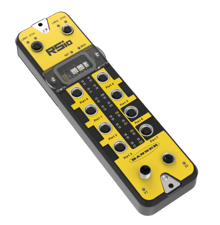 RSio (by Banner Engineering) is a machine-mount remote safety I/O block built to move safety connections out of the cabinet and closer to where the hazard protection device is. Instead of dragging every E-stop, gate switch, and light curtain back to the panel, you land them locally on the machine—cutting long cable runs, reducing panel I/O, and keeping the system cleaner from the start.
Here are the top four things I find most noteworthy about the RSio:
1) It fits right into third-party Allen‑Bradley/Rockwell safety systems
If your world is GuardLogix / Logix safety, RSio is meant to feel familiar.
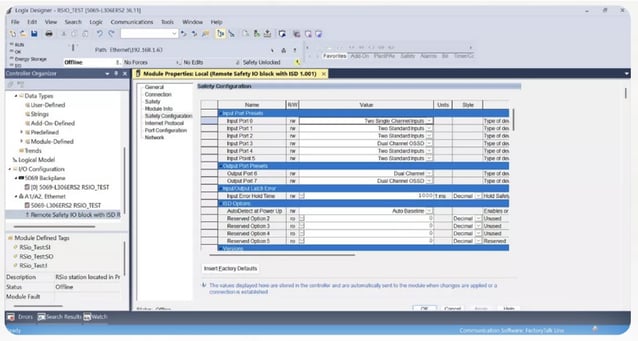
Banner’s RSio is set up directly inside Rockwell Automation’s Studio 5000 using Banner-provided device files (AOP/EDS) and port presets with device tags that load into your software—so you aren’t learning a whole new software tool just to add safety I/O.
That’s a big deal because it removes a common adoption barrier: “Who on the team knows the configuration software?”
2) Hybrid ports: use the same block for safety and standard signals
RSio gives you six configurable inputs and two configurable outputs (eight total ports). The ports can be used for OSSD, Dry Contacts, Non-Safety, and ISD. The ports can also be set up for safety-rated devices or standard signals, depending on what you need.
In plain terms, you can land safety devices and a few useful non-safety signals in the same field block, instead of scattering hardware.
3) Better diagnostics with ISD (In‑Series Diagnostics) on the inputs
This is where RSio stops being “just another safety block.”
Each RSio port comes standard ISD, so it can connect to an ISD chain of up to 32 devices. Across the six inputs, that’s up to 192 devices on one RSio, depending on how your system is designed.
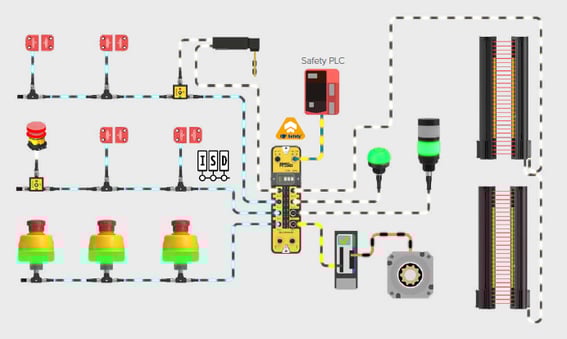
ISD (In‑Series Diagnostics) is Banner’s way in simplifying safety and also getting device-level diagnostic info without running extra special cables. The ISD diagnostic data rides on the same wiring as the safety OSSD signals, using plug-and-play M12 T-connectors and cabling, and for non-ISD devices Banner has ISD Connect, (which we’ll go over later, but it’s a connection that takes dry contacts and turns that into ISD).
What you get out of that:
✔ Fewer cable runs back to the cabinet
✔ Faster troubleshooting because the system can identify which device in the chain caused the stop
✔ The option to mix ISD and non-ISD devices across the six inputs
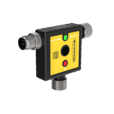 “What if my device isn’t ISD?”
Banner also supports bringing some non‑ISD safety devices into an ISD chain using “ISD Connect,” so you can still build cleaner chains even when every device isn’t natively ISD.
4) Built-in Ethernet pass-through helps you keep the network simple
A practical detail that matters on real machines: RSio includes an integrated dual-port Ethernet switch for pass-through networking. That means you can connect multiple blocks in layouts like daisy-chain, star, or DLR ring without burning up extra external switch ports.
In the RSio flyer diagram (page 4), Banner shows these common topologies side by side—helpful if you’re trying to keep cable routing clean while still giving the plant a network layout they like.
Applications where the RSio proves value
Long conveyor lines with multiple safety zones
In distribution and material-handling systems, conveyors often need multiple E-stops and rope pulls spread across long distances. RSio lets you group those devices into separate in-series chains so each conveyor line becomes its own safety zone. If something trips on Line 1, RSio can stop that section immediately. If Line 2 trips, the safety PLC can stop that zone instead.
The key advantage with the RSio Block is it reduces the number IO blocks, simplifying your system. This helps maintenance quickly see which device caused the stop, instead of walking the entire line.
Robotic palletizing cells with gates and perimeter protection
Palletizer cells usually involve a mix of safety devices—light curtains, access gates, E-stops, and safety locking switches. RSio makes it easier to bring those devices together while still keeping the system organized. It can handle multiple ISD chains for different areas of the cell, plus standard outputs for things like stack lights and reset buttons.
When the cell stops, diagnostics point to the exact device that triggered it, so the restart process is faster and less frustrating.
When RSio is a great fit (and when it may be overkill)
Strong fit when:
- You have lots of safety devices spread out (conveyors, large cells, multiple gates)
- Troubleshooting time is a real downtime driver
- You want to scale without constantly adding cabinet I/O blocks and cost to your project
May be overkill when:
- The machine is small (a few devices, all close to the panel)
- You don’t need device-level diagnostics and the chain is easy to inspect
Quick product specs
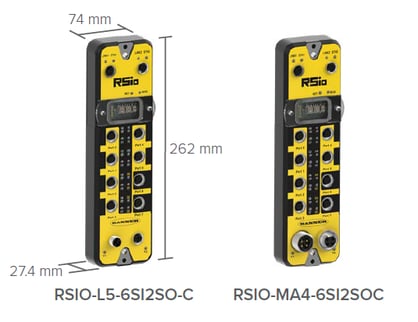
| Safety Communication Protocol | Safe Output Ports | Safe/Non-Safe Input Ports | Power Connection | Models |
| CIP Safety | 2 | 6* (ISD compatible†) | 4-pin Mini | RSIO-MA4-6SI2SO-C |
| 5-pin M12 L-code | RSIO-L5-6SI2SO-C |
*Pin 1 and pin 5 test outputs independently controlled
†Each input supports an ISD chain of up to 32 ISD-enabled devices—192 devices total across one RSio.
- Supply Voltage: 24 V DC
- Safety: Up to Category 4, PL e (EN ISO 13849) Up to SIL 3 (IEC 61508)
- ISD scaling: up to 32 devices per ports/input, up to 192 devices per RSio
- Configuration: inside Rockwell Studio 5000 using Banner-provided AOP/EDS and port presets
- Networking convenience: dual-port Ethernet switch for pass-through topologies
- Reaction Time: Maximum input time: 6 ms + debounce time (default 6 ms)
Maximum output time: 5 ms - Environmental Rating: For Indoor Use Only | IP65, IP67, NEMA 1, UL Type 1
See more specs in the RSio Product Manual
Bottom line
RSio is most useful when your safety system has more I/O than your current Rockwell I/O block can handle.
It tackles the three things that usually hurt the most:
- Too much wiring back to the panel
- Too few ports to handle all the safety devices
- Too little clarity when something trips
And for Rockwell users, the Studio 5000 setup is the difference between “nice idea” and “we’ll actually use it.”
Explore Pricing and Availability
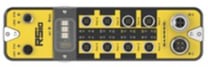 |
BANNER RSIO-MA4-6SI2SO-C Power Connection: 4-pin Mini |

|
|
 |
BANNER RSIO-L5-6SI2SO-C Power Connection: 5-pin M12 L-code |

|
|
Additional Resources
- RSio Remote Safe I/O Flyer
- RSio Product Manual
- RSIO-MA4-6SI2SO-C
- RSIO-L5-6SI2SO-C
- Read More Banner Articles
- Check Out More Banner Products

FAQs
Will the RSio reduce wiring and checkout time?
Yes—especially when you have many devices spread across a machine. ISD chains are designed to reduce the number of individual home runs using device-level visibility.
Will maintenance stop walking the line with RSio?
That’s the goal. ISD is built around identifying the device in the chain using a device tag that caused the stop and giving more usable status info.
Does RSio work with the Rockwell safety PLC we already use?
RSio will work great with a Rockwell/Allen‑Bradley Logix safety platform and for those who want to stay in Studio 5000 by importing the EDS file from Banner.
Do I need to mount RSio in the cabinet?
RSio is positioned as a machine-mountable safe I/O (so you can push I/O closer to the devices).
What levels of safety standards does the RSio Meet?
ANSI B11.19 Performance Criteria for Safeguarding and ISO 13849-1 Cat 4 PLe/SIL3



Leave Comment